





Key Takeaways
| Feature | Summary |
|---|---|
| 🔒 All-Device Encryption | A single VPN router protects every gadget automatically. |
| ⚙️ Top Models 2025 | Urban Shield VPN, ExpressVPN Aircove, Asus RT-AX1800S, Asus ROG GT-AX11000, GL.iNET Beryl-AX. |
| 🚀 Key Protocols | WireGuard & OpenVPN for security + speed. |
| 💡 Setup Ease | Plug-and-play VPN routers with kill switch and policy routing. |
| 🧠 Why It Matters | Protects your entire network without juggling multiple apps. |
Why You Need the Best VPN Routers in 2025
We’re surrounded by connected devices—smart TVs, phones, gaming consoles, tablets, and even refrigerators. Each one sends and receives data online, often exposing you to privacy risks. Installing a VPN app on each device can quickly become a nightmare.
That’s where a VPN router comes in. Instead of setting up a VPN on every single gadget, you configure it once at the router level. The result? Automatic encryption for everything that connects to your Wi-Fi.
A VPN router works as a privacy hub, encrypting data before it ever leaves your home. Whether you’re streaming, gaming, or working remotely, your connection remains private, secure, and unrestricted.
The Advantages of Using the Best VPN Routers
1. Protect Every Connected Device
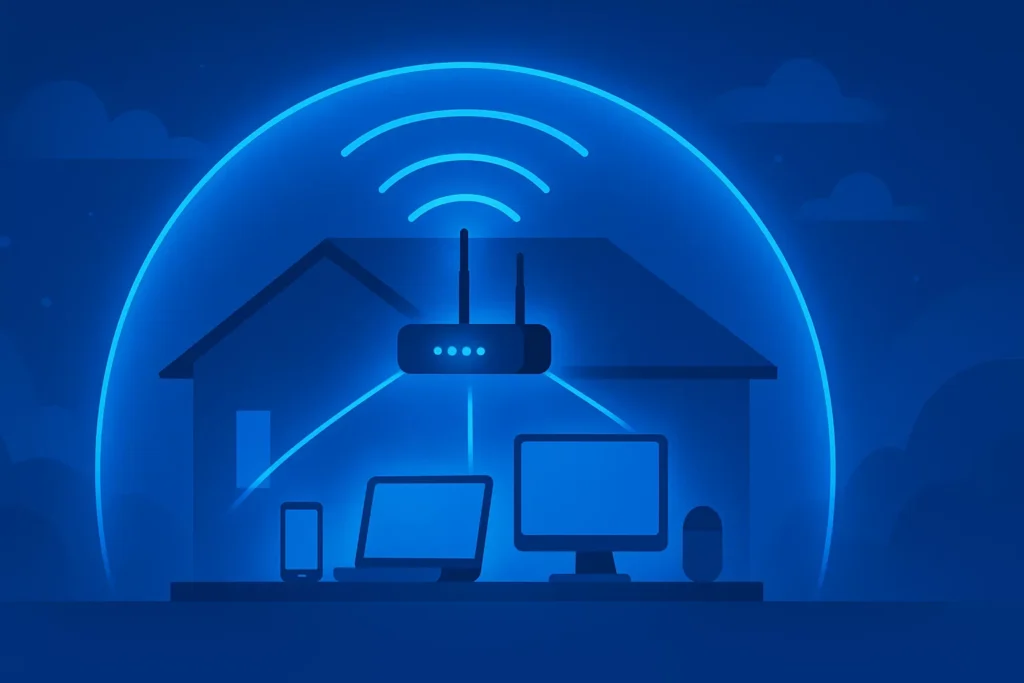
With a single setup, your VPN router protects smartphones, PCs, tablets, IoT devices, smart doorbells, and even printers. This is essential if your family uses dozens of gadgets daily.
No need to install VPN apps or remember to turn them on—your VPN router covers everything automatically.
2. Enhance Online Privacy and Freedom
The best VPN routers hide your IP address and encrypt your data traffic. This prevents ISPs, hackers, and advertisers from tracking your browsing. You’ll also unlock geo-blocked streaming content, from Netflix to IPTV, BBC iPlayer, Hulu, and more.If you love Netflix or IPTV, check out our guide to best vpn routers for streaming iptv.
3. Software VPN vs Hardware VPN Router
A traditional software VPN only protects the device it’s installed on. But with a VPN router, you extend that protection to your whole network.
Hardware VPN routers also include faster processors designed to handle encryption, which reduces lag and improves performance.
How a VPN Router Works Behind the Scenes
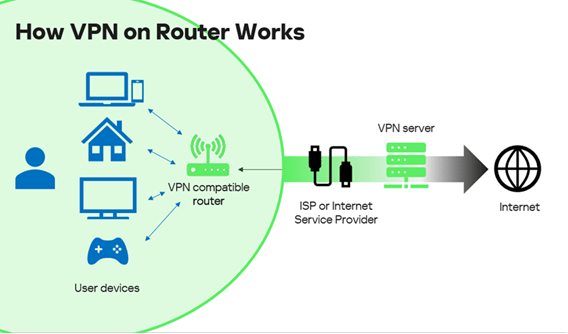
Think of your router as the gatekeeper between your home and the internet. Normally, it sends traffic directly to your ISP. But when you install a VPN on it, every request gets encrypted first—making it unreadable to outsiders.
This is especially useful for streaming IPTV, gaming, or working remotely, since your VPN router routes everything through secure tunnels without manual effort.
What to Look for When Buying the Best VPN Routers
1. Processor and Speed Matter
VPN encryption is CPU-intensive. If your router isn’t powerful enough, your network speed will drop.
Look for routers with multi-core processors above 1 GHz. For example, the ASUS RT-AX88U handles encryption without performance dips, even for large households.
2. VPN Protocol Support
Your VPN router should support both WireGuard (fast and modern) and OpenVPN (stable and compatible). This ensures you can switch between VPN services like NordVPN, Surfshark, or ProtonVPN easily.
3. Preconfigured Firmware
If you’re new to networking, get a pre-flashed or pre-configured VPN router such as the ExpressVPN Aircove. It comes ready to go—just log in with your VPN credentials and you’re done.
4. Policy-Based Routing
This feature lets you decide which devices use the VPN and which don’t. For instance, your work laptop can stay protected while your smart TV streams at full local speed.
Learn more about how routers protect every gadget in our post on how vpn routers protect all devices on your network.
5. Built-in Kill Switch
If the VPN connection drops, a kill switch automatically cuts off internet access to prevent leaks. This is vital for protecting sensitive activities like banking or remote work.
🏆 The Best VPN Routers in 2025 (Comparison Table)
| Model | Price | Max VPN Speed | Best For |
|---|---|---|---|
| Urban Shield VPN | $99/year (VPN included) | 1200 Mbps | Plug-and-play simplicity |
| ExpressVPN Aircove | $190 | 1200 Mbps (VPN off) | Hassle-free setup |
| Asus RT-AX1800S | $70 | 1000 Mbps | Budget users |
| Asus ROG Rapture GT-AX11000 | $250 | 2900 Mbps | Gamers & multi-VPN setups |
| GL.iNET Beryl-AX | $150 | 3000 Mbps | Travel and portability |
Detailed Breakdown of the Best VPN Routers
Urban Shield VPN Router – Best All-in-One Pick
A hybrid device offers a clean plug-and-play experience that includes one year of Premium VPN service, providing robust encryption, parental controls, and ad-blocking.
It’s ideal for medium households and delivers up to 2,500 Mbps through a dedicated VPN chip—reducing latency even when multiple devices stream simultaneously.
ExpressVPN Aircove – Best for Easy Setup
This Wi-Fi 6 router offers a clean plug-and-play experience. Connect, log in, and you’re secured instantly.
Even under VPN encryption, it maintains around 600 Mbps—perfect for 4K streaming, gaming, and multi-device use.
Asus RT-AX1800S – Best Budget VPN Router
Despite its low cost, this router supports Wi-Fi 6, AiProtection, and Asus Instant Guard—a one-tap VPN launcher.
It’s compatible with AiMesh, meaning you can expand your network later without replacing it.
Asus ROG Rapture GT-AX11000 – Best Gaming VPN Router
Designed for heavy users and gamers, this router supports VPN Fusion, allowing simultaneous VPN and non-VPN connections.
With a quad-core CPU, 2.5G LAN port, and tri-band design, it delivers near-zero lag during online play or streaming.
GL.iNET Beryl-AX – Best Travel VPN Router
Small but powerful, this portable router fits in your hand and supports both OpenVPN and WireGuard.
Its 1.3 GHz CPU, Gigabit Ethernet, and compact frame make it perfect for hotel or Airbnb stays. You can even share your secured connection with multiple travelers.
How to Set Up a VPN Router (Step-by-Step)
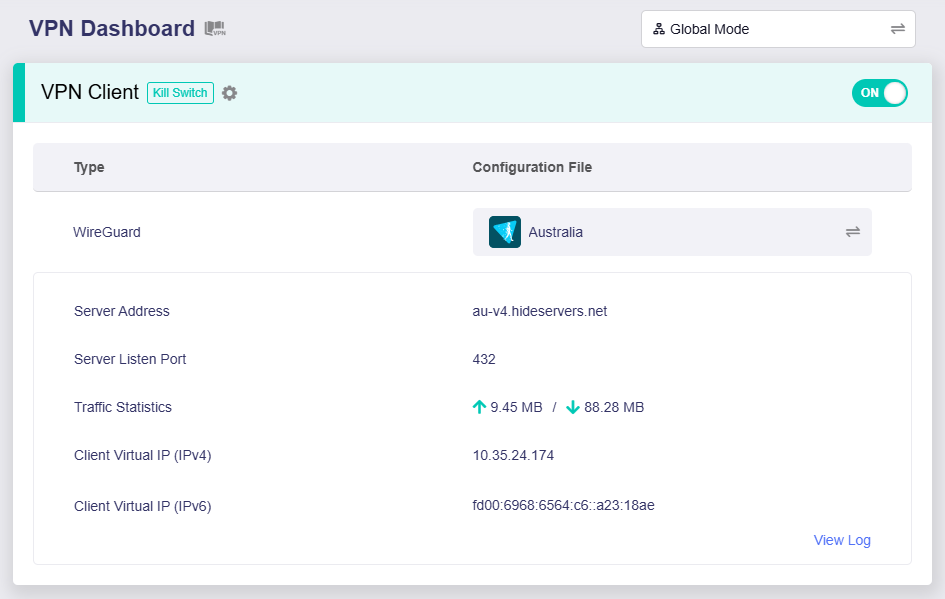
- Power on your router and connect it to your modem.
- Access the web interface (usually 192.168.1.1).
- Log in with admin credentials.
- Add your VPN username and password.
- Enable the kill switch and policy routing features.
- Save settings and reboot.
- Verify your new IP on websites like whatismyip.com.
Once your location shows the VPN region, your router is successfully secured.
Fine-Tune Your VPN Router for Best Performance
Choose the Right Protocol
Switch to WireGuard whenever possible—it’s up to 3x faster than OpenVPN with less CPU strain.
Keep Firmware Updated
Routers like Asus and GL.iNET often release updates to patch vulnerabilities. Set a reminder to check monthly or enable auto-updates.
Balance Encryption Strength
If you notice streaming slowdown, consider using AES-128 instead of AES-256—you’ll still be safe, but faster.
Use Smart DNS with VPN
If your VPN router supports Smart DNS, combine it with VPN for streaming platforms that block traditional VPNs.
Worried about slowdown? We spell out common causes in does vpn slow down internet?
Common Mistakes to Avoid When Using a VPN Router
- Ignoring Firmware Updates: Outdated routers are vulnerable.
- Weak Admin Passwords: Always use complex passphrases.
- Using Free VPNs: Avoid them; they’re often slow and unsafe.
- Overlapping VPN Apps: Don’t run separate VPN apps on top of the router VPN—it can cause conflicts.
Maintaining Long-Term VPN Router Security
- Review Connected Devices: Remove unknown clients regularly.
- Enable WPA3 Wi-Fi encryption: Stronger than WPA2.
- Separate Guest Networks: Keeps visitors from accessing your main devices.
- Backup Configuration Files: So you can restore settings quickly.
- Change Default Admin URL: Simple trick to prevent brute-force attacks.
Is it legal to run a VPN router? Learn more in our breakdown: is it legal to use a vpn router?
Frequently Asked Questions About the Best VPN Routers
What’s the cheapest VPN router?
The Asus RT-AX1800S—around $70—is perfect for beginners on a budget.
Can I use any VPN provider?
Yes. The best VPN routers support major services like NordVPN, Surfshark, ProtonVPN, and Urban Shield VPN.
Do I need a separate VPN subscription?
Yes, unless your router includes one (like Urban Shield VPN).
Will a VPN router slow down my Wi-Fi?
Slightly, but using WireGuard and a strong CPU minimizes the effect.
Can I use a VPN router for IPTV?
Absolutely. In fact, VPN routers are perfect for IPTV since they bypass geo-blocks and reduce buffering.
Final Thoughts: Choosing the Best VPN Routers in 2025
A VPN router is the simplest, most effective way to protect your entire home network.
Our top recommendations for 2025 are:
- Urban Shield VPN Router – all-in-one privacy + value
- ExpressVPN Aircove – easiest setup for beginners
- Asus ROG Rapture GT-AX11000 – best for gamers and professionals
Keep your firmware updated, use WireGuard, and monitor your connected devices for complete, ongoing protection.
Choosing one of the Best VPN Routers in 2025 will give you peace of mind, faster speeds, and a safer, more private online experience.