




Ever wondered how VPN protects you from hackers, trackers, and snooping internet providers? In a world where every click and search is recorded, a virtual private network (VPN) has become one of the simplest ways to keep your data private and secure.
This guide explains what a VPN is, how VPN protects you, how it works behind the scenes, and how to choose the best VPN setup for your devices.
What Is a VPN and How Does It Work?
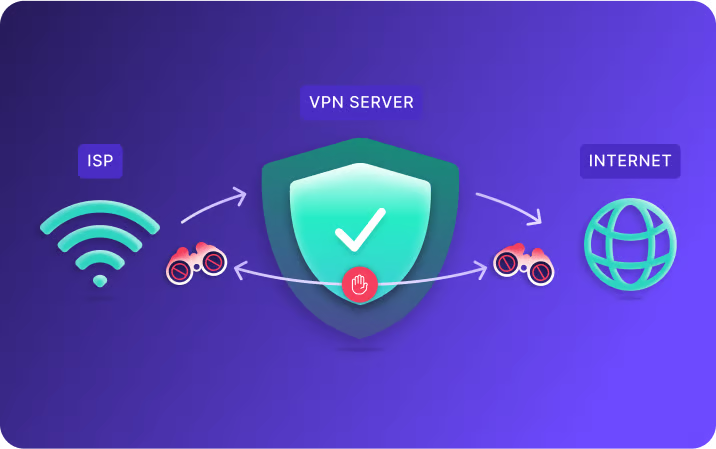
A VPN, or virtual private network, creates an encrypted tunnel between your device and the internet. When you connect, all your data passes through this tunnel before reaching its destination.
Instead of sending information directly to your internet service provider (ISP), your traffic first goes through the VPN server. The server hides your real IP address and replaces it with its own. As a result, websites, advertisers, and even your ISP can’t see where your data truly originates.
This process is what keeps your online identity anonymous and explains how VPN protects you from unwanted monitoring and cyberattacks.
The Main Ways a VPN Protects You
1. Encrypts Your Internet Traffic
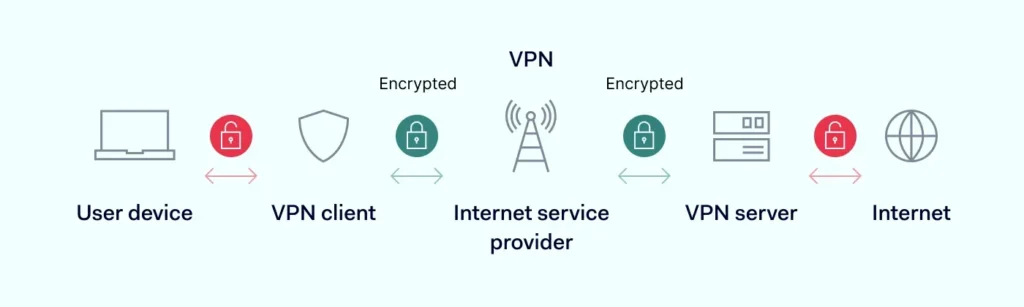
Encryption is the foundation of VPN protection. It scrambles your data so no one — not even your ISP or a hacker on public Wi-Fi — can read it.
When you browse the web without a VPN, your traffic is sent in plain text through your ISP. With a VPN, that data becomes unreadable gibberish until it reaches the VPN server. Even if someone intercepts it, they can’t decode it.
2. Hides Your IP Address
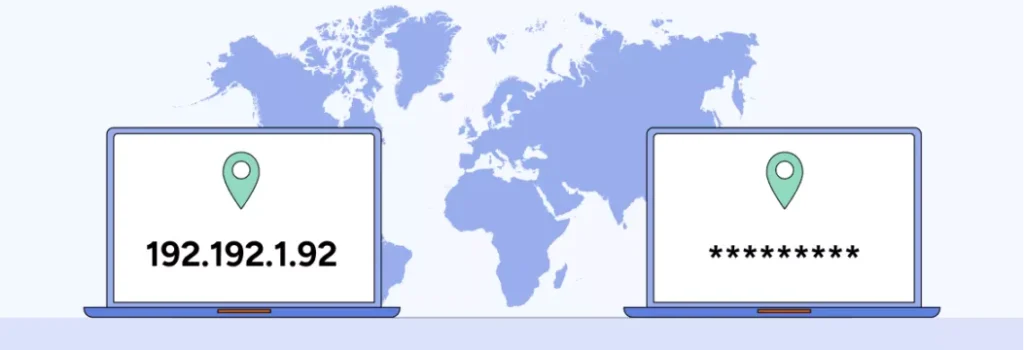
Your IP address reveals your approximate location and can be used to track your online behavior. By rerouting your connection through a VPN server, you mask your real IP and replace it with a temporary one.
This simple switch is one of the key ways how VPN protects you — it stops websites, advertisers, and surveillance programs from linking your activity to your real location.
3. Secures Public Wi-Fi Connections
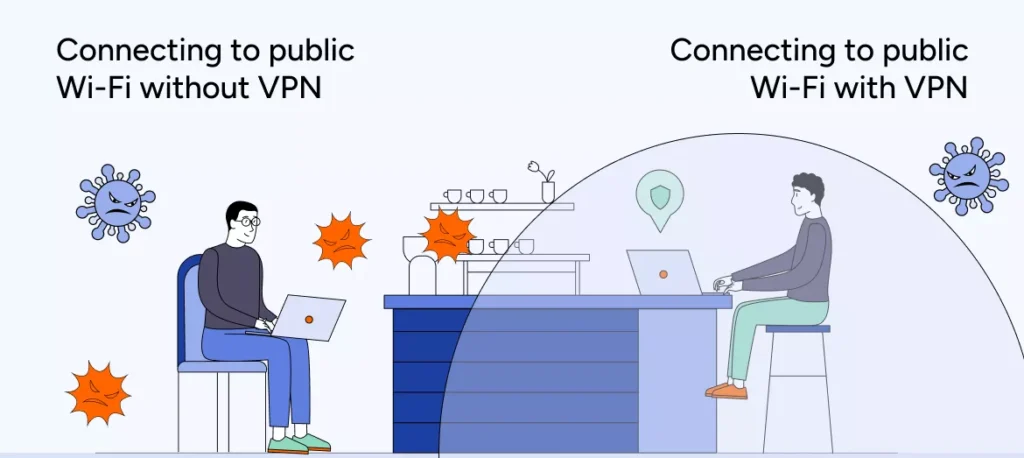
Public Wi-Fi in cafés, airports, and hotels is convenient but risky. Without encryption, it’s easy for attackers to intercept passwords, messages, and banking details.
Using a VPN encrypts all that data automatically. Even if someone is monitoring the same Wi-Fi network, they’ll only see random, unreadable characters instead of your personal information.
4. Prevents ISP Tracking and Throttling
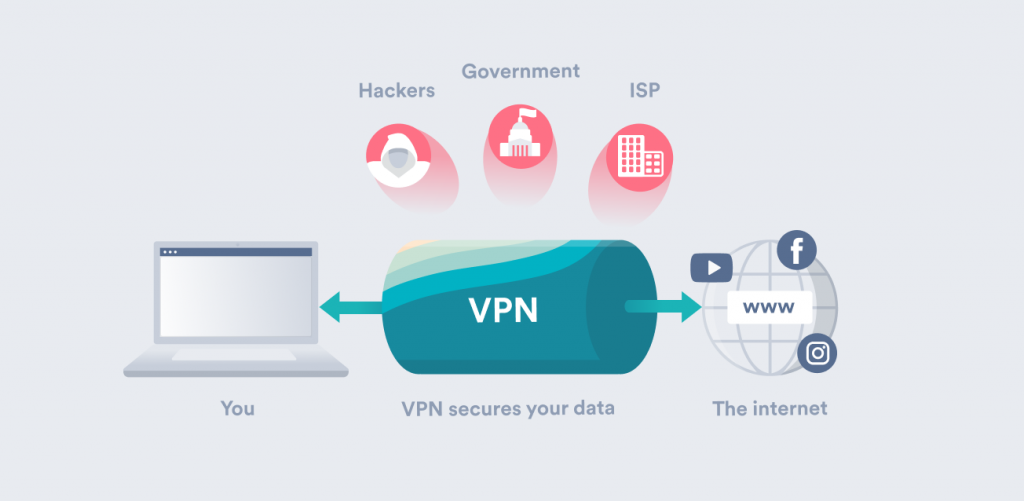
Your internet provider can track every website you visit and may slow down your connection when you stream or download large files. A VPN prevents this by encrypting your activity — your ISP can only see that you’re connected to a VPN, not what you’re doing.
That’s another example of how VPN protects you — by giving you consistent, unthrottled speed while keeping your habits private.
5. Unlocks Geo-Restricted Content
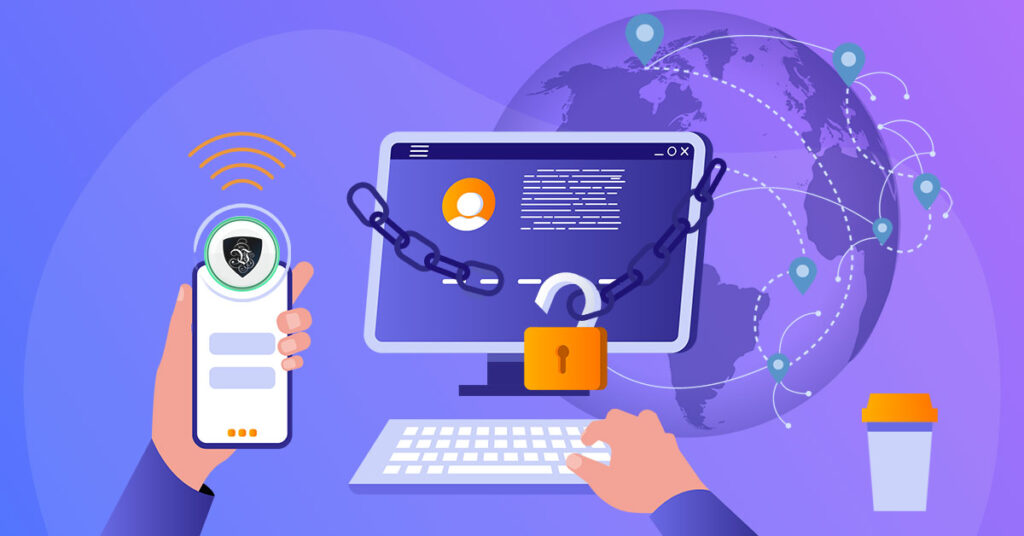
Many streaming services limit access based on your location. A VPN lets you connect through servers in other countries, effectively “moving” your IP address to that region.
This not only gives you more entertainment options but also allows journalists, travelers, and remote workers to access open information in censored areas.
Understanding VPN Protocols and Why They Matter
A VPN protocol determines how your data travels through the encrypted tunnel. Some are faster, others more secure. Choosing the right one impacts both privacy and performance.
| Protocol | Speed | Security | Best Use |
|---|---|---|---|
| WireGuard | Very fast | High | Everyday streaming, browsing |
| OpenVPN | Moderate | Very high | Security-focused users |
| IKEv2/IPSec | Fast | Good | Mobile devices |
| PPTP | Fast | Weak | Not recommended |
Modern VPNs default to WireGuard or OpenVPN, both offering strong encryption and reliability. They’re the best examples of how VPN protects you without slowing your connection.
How VPN Protects You Across Devices
A VPN can run on nearly any internet-connected device. Each platform benefits differently from VPN protection.
| Device | VPN Protection Benefit |
|---|---|
| Windows/Mac | Encrypts browsing, stops tracking cookies |
| Smartphones | Protects mobile apps and public Wi-Fi connections |
| Smart TVs | Allows streaming from global libraries |
| Game Consoles | Reduces lag, protects online identities |
| Routers | Secures every connected device automatically |
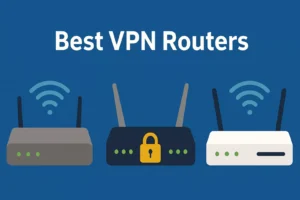
Installing a VPN on your router is one of the smartest moves. It encrypts all traffic across your home network — meaning your smart fridge, thermostat, and TV all gain protection instantly.
Setting Up a VPN: Step-by-Step
Getting started with a VPN is simpler than most people expect. Here’s how to do it:
- Pick a trusted VPN provider. Popular options include NordVPN, ExpressVPN, and ProtonVPN.
- Download and install the app on your computer, phone, or router.
- Log in using your account credentials.
- Select a server location — closer servers are usually faster.
- Connect and verify by visiting “whatismyip.com” to confirm your IP is hidden.
Once active, all your online activity travels securely through the VPN tunnel.
Boosting VPN Performance and Reliability
A VPN’s speed depends on both your internet connection and the power of the VPN server. You can improve performance with a few adjustments.
Tips for Better VPN Performance
- Choose servers geographically closer to your location
- Use WireGuard instead of OpenVPN for faster speeds
- Restart your router to clear cache and renew connections
- Keep your VPN app updated for the latest optimizations
- Avoid free VPNs; they often oversell servers and throttle speed
These steps ensure you get both privacy and speed — proving once again how VPN protects you without sacrificing performance.
Common Myths About VPN Protection
There are many misconceptions about VPNs. Let’s clear up the most common ones.
Myth 1: VPNs Make You Completely Anonymous
While VPNs hide your IP and encrypt traffic, websites can still track behavior through cookies or browser fingerprints. For full anonymity, combine a VPN with privacy-focused browsers and tracker blockers.
Myth 2: VPNs Are Only for Tech Experts
Modern VPN apps are designed for simplicity. Most can be activated with one click, and preconfigured routers make network-wide protection even easier.
Myth 3: All VPNs Are the Same
Not true. Some VPNs log user activity or leak IP addresses. Always choose providers with a no-logs policy and independent security audits.
The Limitations of VPNs
While VPNs significantly enhance privacy, they aren’t a cure-all. They can’t protect you from phishing emails, malware, or unsafe downloads.
Devices outside your VPN-secured network — such as mobile phones using mobile data — still need the VPN app turned on individually.
That’s why understanding how VPN protects you also means knowing where its protection ends.
How to Choose the Right VPN
When selecting a VPN service, consider these factors:
- Privacy policy: Ensure the company doesn’t log or share your activity.
- Server locations: More locations mean better access to global content.
- Speed and performance: Look for providers that offer unlimited bandwidth.
- Multi-device support: A single account should cover all your gadgets.
- Customer support: Live chat and clear setup guides make troubleshooting easy.
Providers like NordVPN, Urban Shield Vpn, Surfshark, and ExpressVPN consistently score highest in independent privacy tests and are excellent examples of how VPN protects you effectively.
To see our top recommendations, check out best vpn routers in 2025.
Final Thoughts on How VPN Protects You
A VPN is no longer optional — it’s essential for privacy in 2025. It shields your identity, hides your location, encrypts your data, and secures every connection you make.
From streaming safely on public Wi-Fi to preventing ISP throttling at home, now you understand how VPN protects you and why using one is one of the smartest online decisions you can make.
Ready to start? Choose a reliable VPN provider, connect once, and enjoy a private, secure, and unrestricted internet experience every day.